
- Description
- Curriculum
- Reviews
-
1
 Understanding The Microsoft Word Work InterfaceWelcome! This material is a great starting point for mastering Microsoft Word. It is Lesson 1 of the WESCO Cameroon Office Management Vocational Training Program, and it focuses entirely on understanding the Word working interface.The lesson treats learning Word like learning a car's dashboard—once you know where the controls are, driving becomes easy. Here is a detailed breakdown of what the material covers:• The Start Screen: This is your launchpad where you typically open a "Blank Document" to enter the main working environment.• The Title Bar & Quick Access Toolbar (QAT): The Title Bar sits at the top with your document's name and window controls (minimize, maximize, close). Next to it is the QAT, which holds your most frequently used shortcuts like Save, Undo, and Redo.• The Ribbon: This is the primary control center where all your tools live. It is organized logically into Tabs (categories like Home, Insert, Layout), Groups (bundled commands like Font or Paragraph), and Commands (the specific buttons you click).• The Document Area & Cursor: The large white space is your workspace. The blinking vertical line is the Insertion Point (or Cursor), which dictates exactly where your formatting and text will be applied.• Rulers, Status Bar, & Scroll Bars: Rulers help you align document margins and tabs. The Status Bar at the bottom tracks your page and word count, and provides view modes and zoom controls. The vertical scroll bar lets you navigate through long documents.To make sure I tailor our learning plan perfectly to your needs, what is your current familiarity with Microsoft Word, and what is your main goal today? For example, are you a complete beginner looking to build basic skills, or are you reviewing this specifically for an exam?
 -
2
 Understanding The Microsoft Word Work InterfaceWelcome!This material is a great starting point for mastering Microsoft Word. It is Lesson 1 of the WESCO Cameroon Office Management Vocational Training Program, and it focuses entirely on understanding the Word working interface.
The lesson treats learning Word like learning a car's dashboard—once you know where the controls are, driving becomes easy. Here is a detailed breakdown of what the material covers:
• The Start Screen: This is your launchpad where you typically open a "Blank Document" to enter the main working environment.
• The Title Bar & Quick Access Toolbar (QAT): The Title Bar sits at the top with your document's name and window controls (minimize, maximize, close). Next to it is the QAT, which holds your most frequently used shortcuts like Save, Undo, and Redo.
• The Ribbon: This is the primary control center where all your tools live. It is organized logically into Tabs (categories like Home, Insert, Layout), Groups (bundled commands like Font or Paragraph), and Commands (the specific buttons you click).
• The Document Area & Cursor: The large white space is your workspace. The blinking vertical line is the Insertion Point (or Cursor), which dictates exactly where your formatting and text will be applied.
• Rulers, Status Bar, & Scroll Bars: Rulers help you align document margins and tabs. The Status Bar at the bottom tracks your page and word count, and provides view modes and zoom controls. The vertical scroll bar lets you navigate through long documents.
To make sure I tailor our learning plan perfectly to your needs, what is your current familiarity with Microsoft Word, and what is your main goal today? For example, are you a complete beginner looking to build basic skills, or are you reviewing this specifically for an exam? -
3
 Understanding The Microsoft Word Working InterfaceWelcome!This material is a great starting point for mastering Microsoft Word. It is Lesson 1 of the WESCO Cameroon Office Management Vocational Training Program, and it focuses entirely on understanding the Word working interface.The lesson treats learning Word like learning a car's dashboard—once you know where the controls are, driving becomes easy. Here is a detailed breakdown of what the material covers:• The Start Screen: This is your launchpad where you typically open a "Blank Document" to enter the main working environment.• The Title Bar & Quick Access Toolbar (QAT): The Title Bar sits at the top with your document's name and window controls (minimize, maximize, close).Next to it is the QAT, which holds your most frequently used shortcuts like Save, Undo, and Redo.• The Ribbon: This is the primary control center where all your tools live. It is organized logically into Tabs (categories like Home, Insert, Layout), Groups (bundled commands like Font or Paragraph), and Commands (the specific buttons you click).• The Document Area & Cursor: The large white space is your workspace. The blinking vertical line is the Insertion Point (or Cursor), which dictates exactly where your formatting and text will be applied.• Rulers, Status Bar, & Scroll Bars: Rulers help you align document margins and tabs. The Status Bar at the bottom tracks your page and word count, and provides view modes and zoom controls. The vertical scroll bar lets you navigate through long documents.To make sure I tailor our learning plan perfectly to your needs, what is your current familiarity with Microsoft Word, and what is your main goal today? For example, are you a complete beginner looking to build basic skills, or are you reviewing this specifically for an exam?


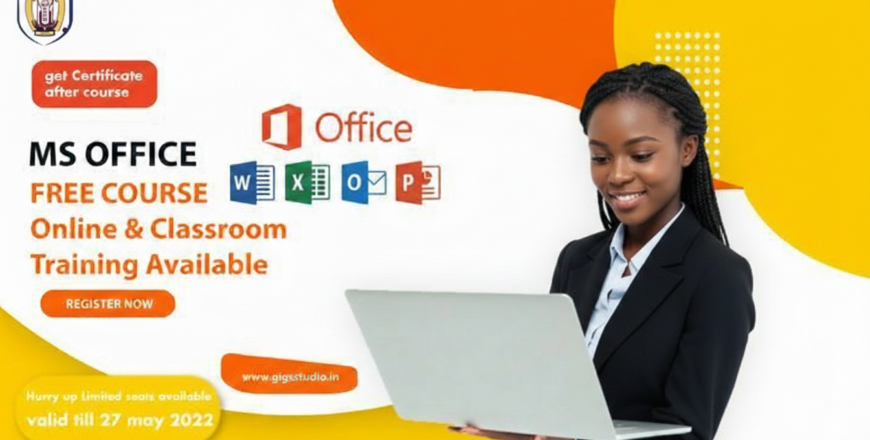
Here’s the basic course information for Mastering Microsoft Office – Essential Skills for Productivity, formatted for your MasterStudy LMS setup:
Basic Course Info
| Field | Details |
|---|---|
| Course Title | Mastering Microsoft Office – Essential Skills for Productivity |
| Course Type | Online, Self-paced |
| Platform | MasterStudy LMS |
| Target Audience | Professionals, students, job seekers, administrative staff, lifelong learners |
| Level | Beginner to Intermediate |
| Duration | Approx. 6–8 hours total (flexible pacing) |
| Modules | 6 core modules + Final Project & Assessment |
| Languages | English (option for bilingual support if needed) |
| Certificate | Yes – Certificate of Completion |
| Prerequisites | Basic computer literacy; access to Microsoft Office apps |
| Learning Format | Video tutorials, interactive lessons, quizzes, downloadable resources |
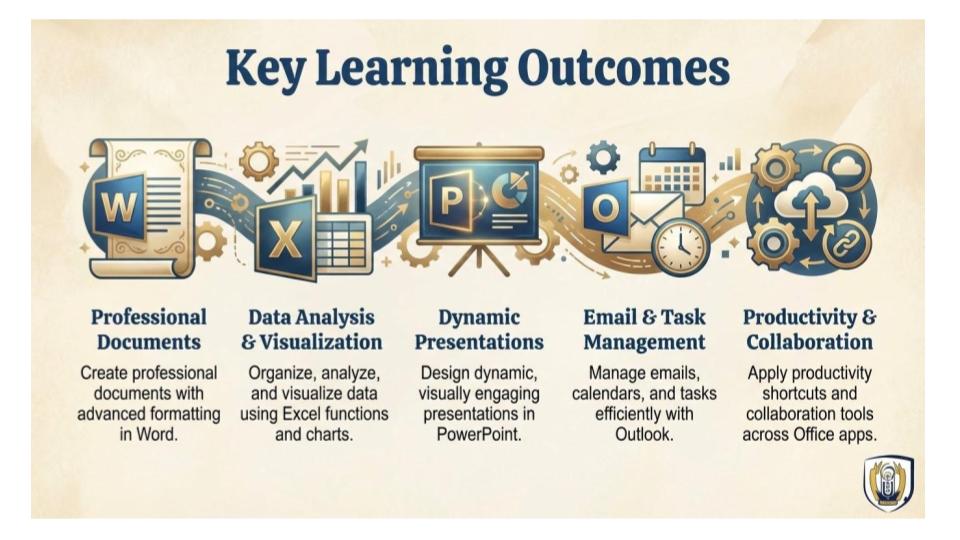
| Course Goals | Build practical skills in Word, Excel, PowerPoint, and Outlook for real-world productivity |
Course Requirements
• 💻 Device Access: A desktop or laptop computer with internet connection
• 🧩 Software: Installed Microsoft Office suite (Word, Excel, PowerPoint, Outlook) — Office 2016 or later recommended
• 🌐 Internet Browser: Modern browser (Chrome, Edge, Firefox) for accessing course materials and LMS
• 👩💻 Basic Computer Skills: Familiarity with using a mouse, keyboard, and navigating folders
• 📥 Download Capability: Ability to download course resources and upload assignments
• 🕒 Time Commitment: Approx. 2–8 hours/Lesson total, self-paced
• 📧 Email Access: For course updates, communication, and certificate delivery
Intended Audience
• Students – who want to improve academic productivity by mastering Word for reports, Excel for data analysis, and PowerPoint for presentations.
• Professionals – office workers, administrators, managers, and team leaders who need to streamline communication, manage data, and deliver polished presentations.
• Job Seekers – individuals preparing for employment who want to showcase Microsoft Office proficiency as a core workplace skill.
• Entrepreneurs & Small Business Owners – who need to create professional documents, track finances, and communicate effectively with clients.
• Educators & Trainers – looking to enhance teaching materials, manage schedules, and collaborate more efficiently.
• Lifelong Learners – anyone interested in boosting personal productivity and digital confidence